
.char file, and it keeps the same face, body, clothes and voice across every shot and every model you use it on.
Getting the same person into a second shot normally means training a LoRA for each one, or wiring the same reference photos into every node by hand. With Omnichar you pick the character from a dropdown instead.
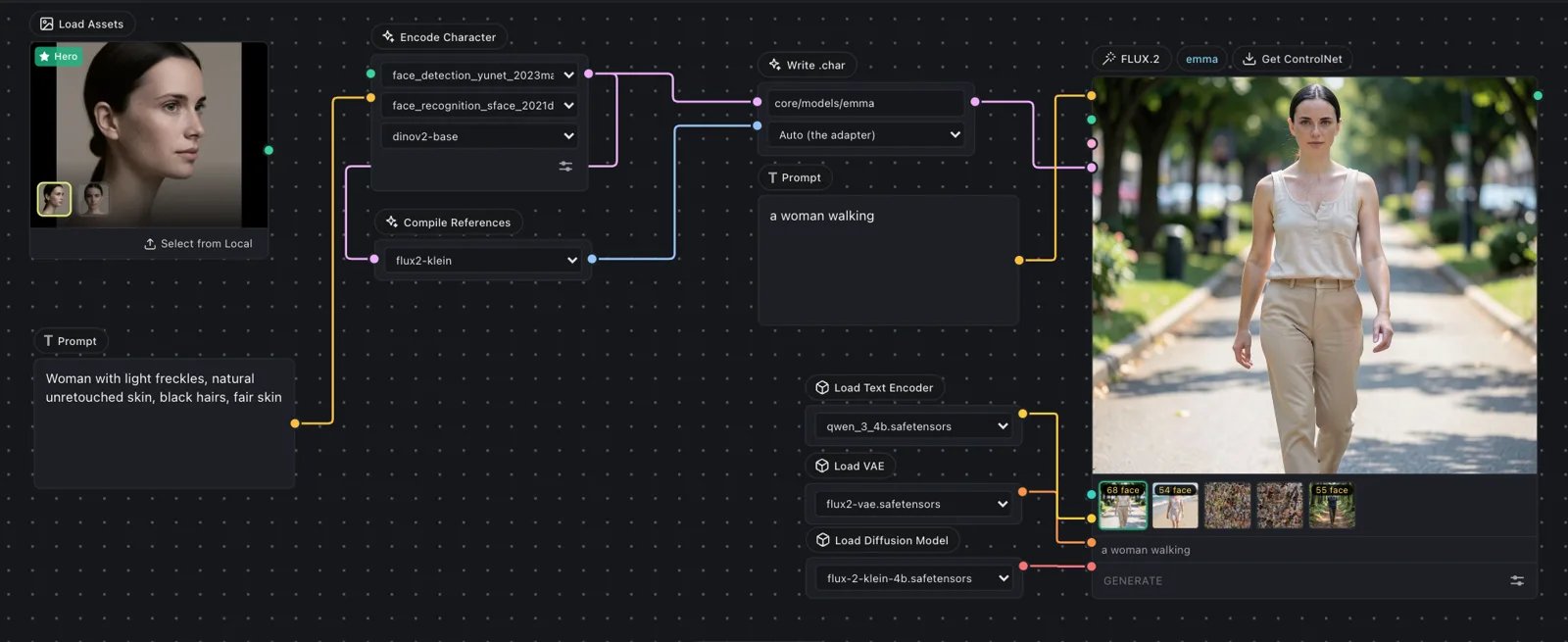
Three ways to run it
The same.char file works in all three, so you can build a character in one and use it in another without rebuilding it.
Omnichar Cloud
Runs in your browser. Build a character from 1-3 photos and generate images and video. Nothing to install, and new accounts get 300 free credits.
Omnichar Studio
The open-source app, on your own GPU. Node canvas, take history, LoRA training and a built-in engine. Free, no account.
ComfyUI node
Load a
.char into the ComfyUI workflows you already have, with FLUX.2, Krea 2 and MiniMax H3.Which one to pick
Open source
Omnichar Studio and the ComfyUI node are GPL-3.0. Theomnichar-sdk Python package that reads .char files is Apache-2.0, so closed-source tools can read them too. Model weights carry their own licences, which the GPL does not change.