

.char is one portable file that holds a character:
- the reference photos (face, body and wardrobe)
- an identity fingerprint
- a locked description
- any LoRA adapter trained from the same photos
- a voice clip, if you add one
.char, opens in Omnichar Studio’s Characters panel, and loads into ComfyUI through the ComfyUI node.
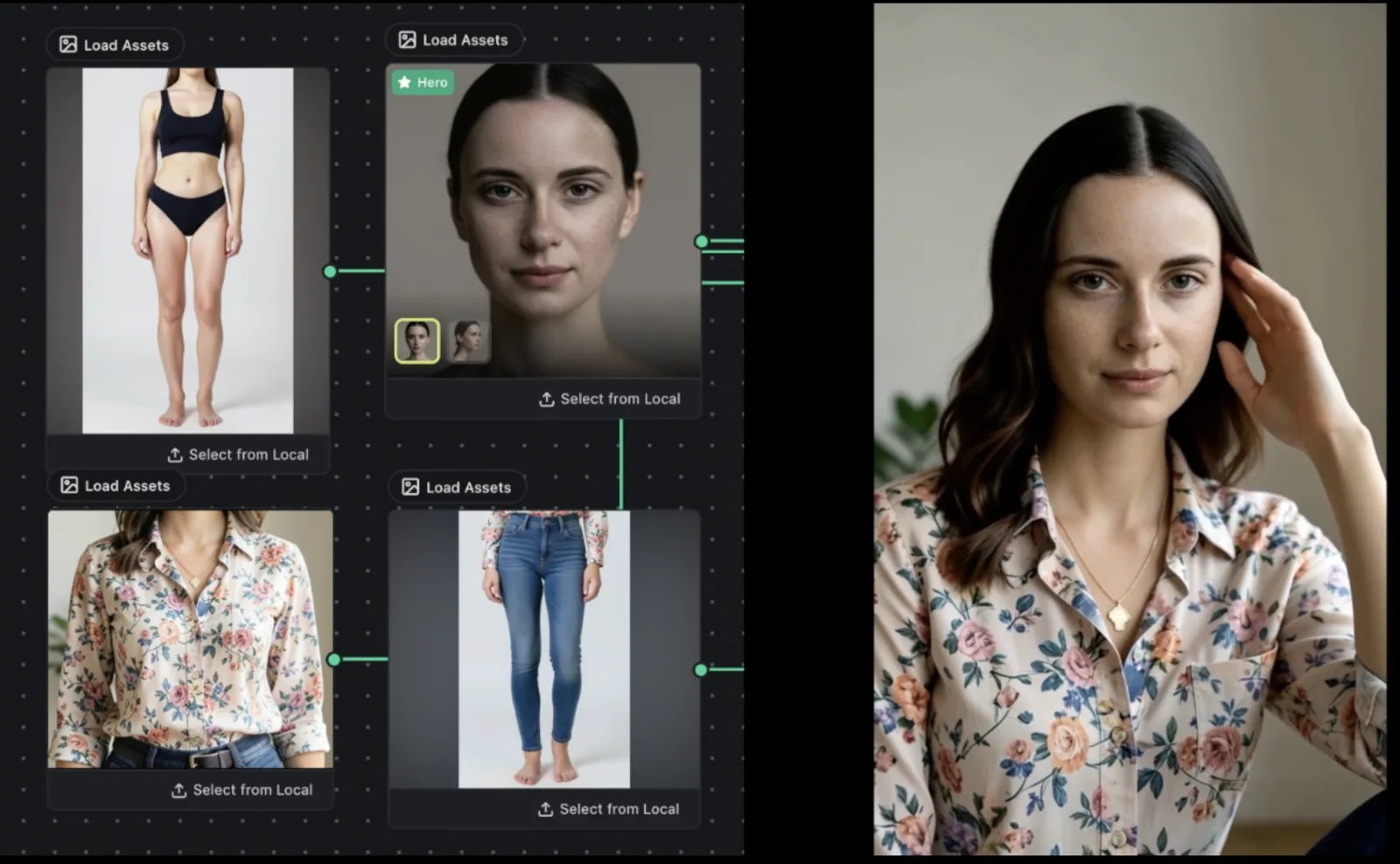
Reference order
Reference images are sorted by role, so the face comes first. Order matters because models like FLUX.2 address references by position in the prompt (“the jacket from image 2”). Every Omnichar surface keeps that order, so the numbers in your prompt match the images the model receives.Which models take a character
Models apply a character in one of two ways: they read the reference images directly, or they use a small adapter trained once from the same photos.Continuity score
In Omnichar Studio, every take comes back with a continuity score out of 100, measured against the character. On a video clip the score reports the worst frame and the second it happened, so a single bad frame shows up even when the rest of the clip scores well.Voice
A character can carry a voice for MiniMax H3. Use about 30 seconds of clean speech with no music. H3 speaks new words in a voice like the clip, so expect a likeness rather than a copy. The ComfyUI workflows page shows how to wire it.Read .char files in your own code
Theomnichar-sdk package reads .char files with no other dependencies, and is licensed Apache-2.0.