

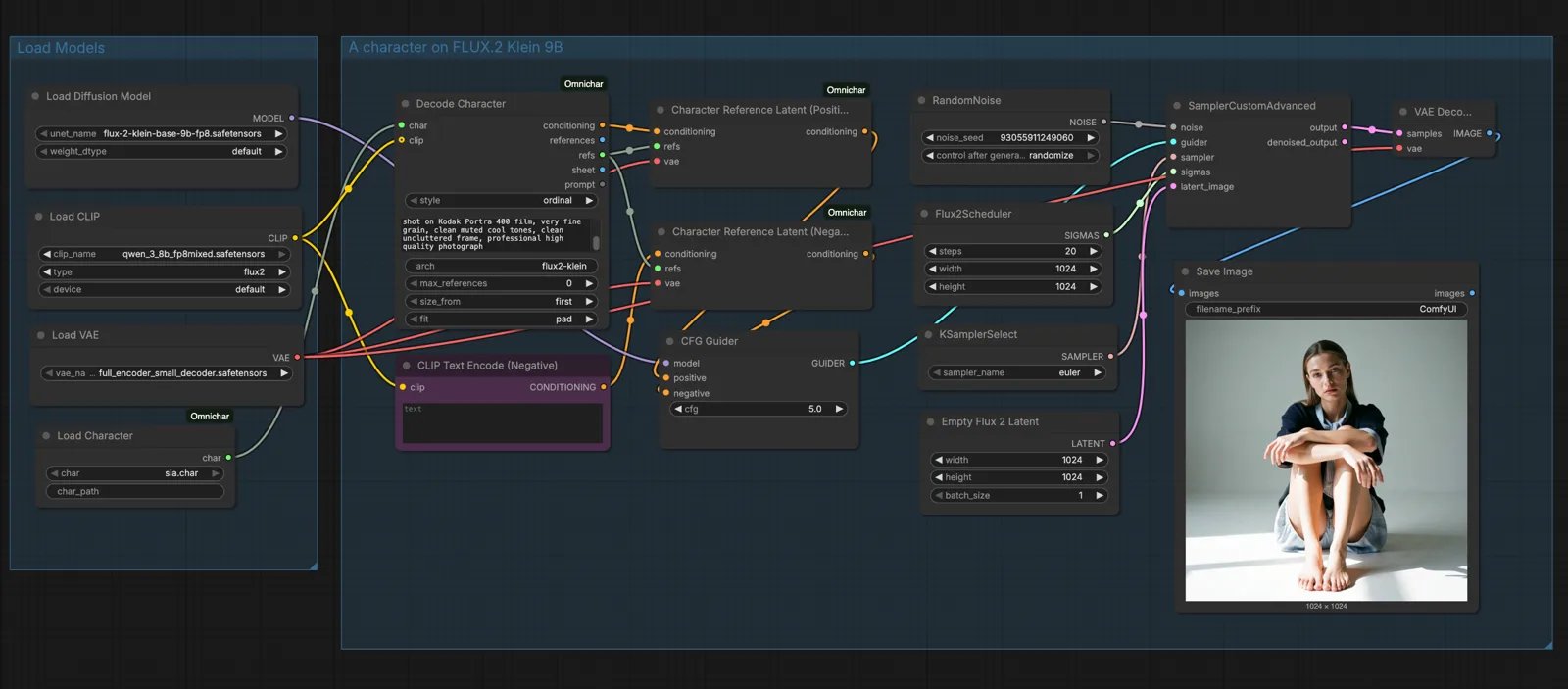
.char support to ComfyUI. It loads a character into the workflows you already use and keeps the same face, body, clothes and voice across runs. It works with MiniMax H3, Krea 2, FLUX.2 dev and FLUX.2 klein 9B and 4B, and voice works on MiniMax H3.
Requirements
- ComfyUI
- Python 3.10 or newer
Install
1
Go to your custom nodes folder
2
Clone the repository
3
Install the reader
This installs
omnichar-sdk, the package that reads .char files.4
Restart ComfyUI
The Omnichar nodes appear in the node menu after a restart.
Where characters live
Put.char files in ComfyUI/models/characters/. The Load Character node lists whatever is in that folder.
You can get a .char from any of these:
- the Encode Character node, in ComfyUI itself
- Omnichar Cloud, with the download button on a character card
- Omnichar Studio
INLINE_CHARACTERS_DIR to that folder, and both read the same files.
Next steps
Nodes
Every node, with its inputs and outputs.
Workflows
Build a character, then wire it to FLUX.2 or MiniMax H3.