

Setting up an endpoint
Switch to the team, then open Settings → Webhooks. Owners, admins and developers see it when the team has API access. Endpoints from both environments are listed together, each labelled Production or Sandbox. A team can have up to 10 endpoints in each environment.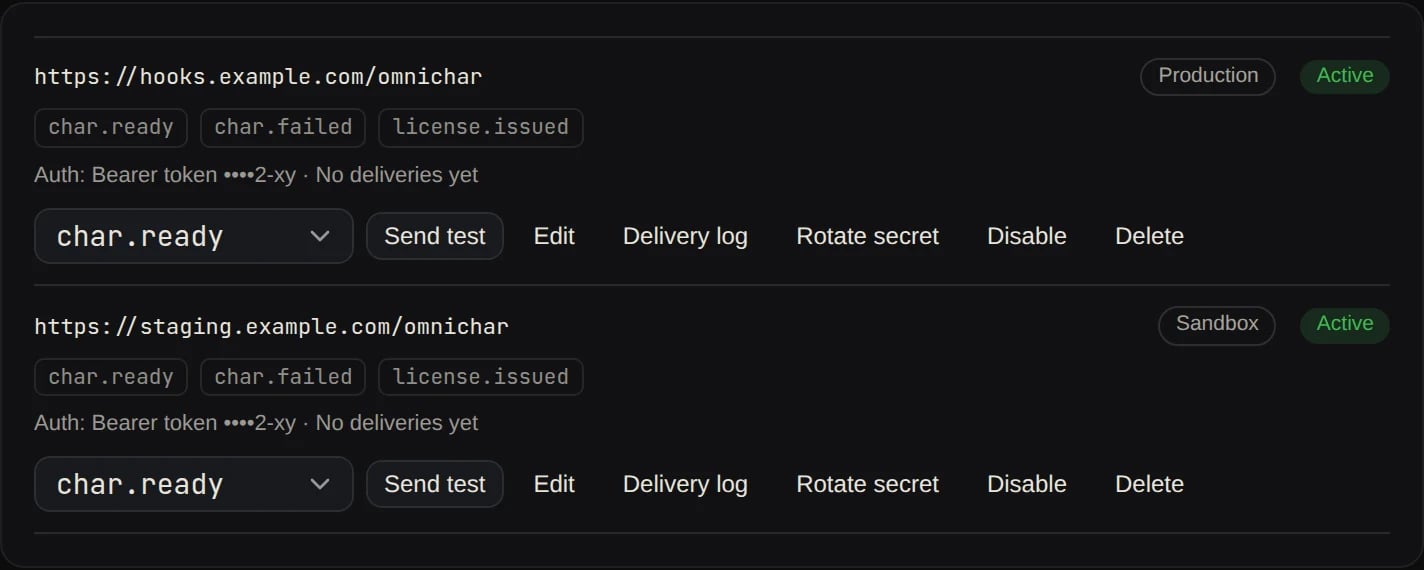
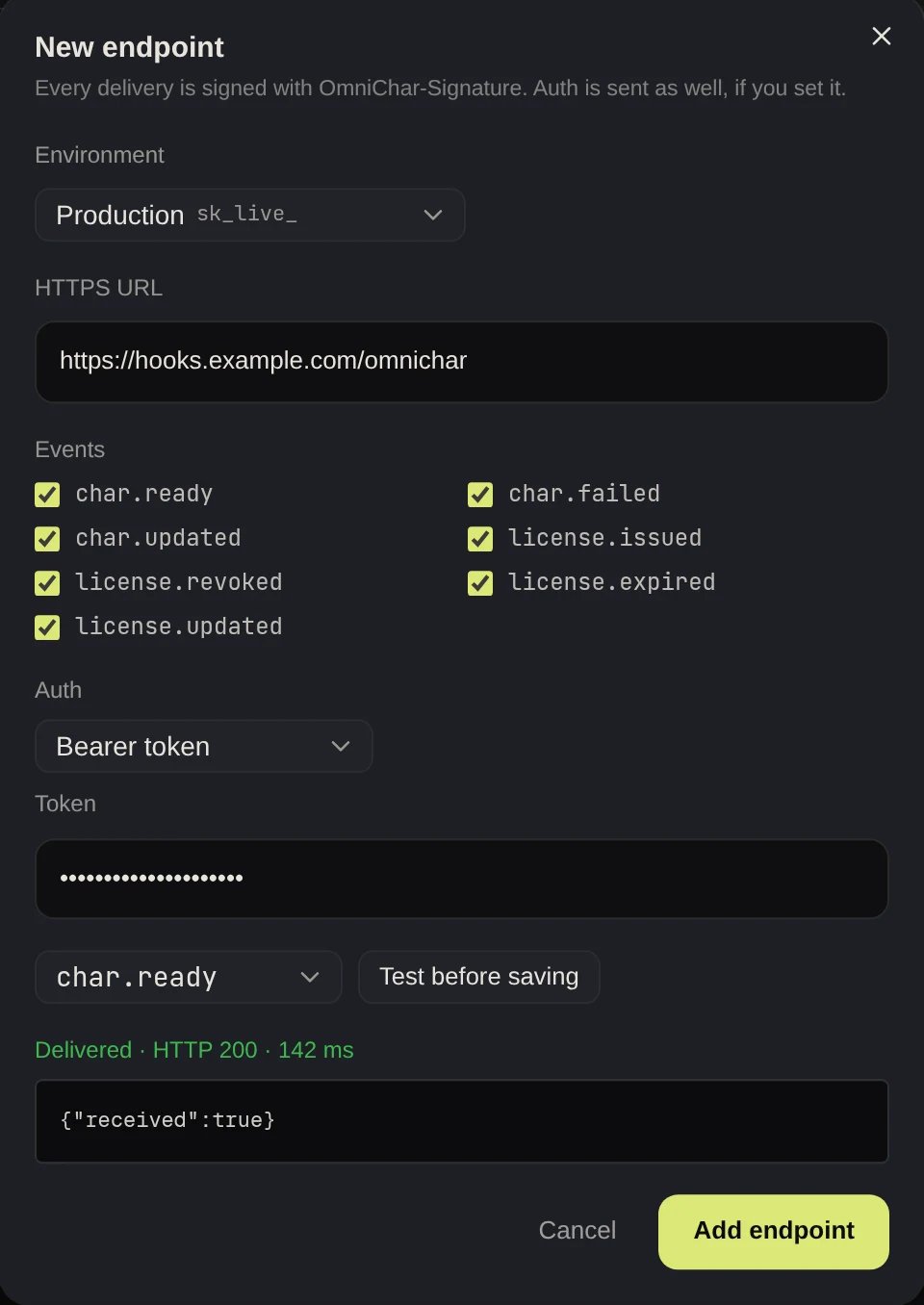
- the environment, Production or Sandbox (it can’t be changed later),
- an HTTPS URL that resolves to a public address,
- the events to receive,
- optional auth, sent on every delivery alongside the signature (see below).
webhooks:read and webhooks:write scopes, under /v1/teams/{team_id}/webhooks. A key manages endpoints in its own environment only. Each call is listed in the API reference.
Endpoint auth
The signature is always sent. If your endpoint also expects its own credentials, choose one:
Credentials are stored encrypted and never shown again. For a credential of 12 characters or more the page shows its last four; editing the endpoint offers Replace. If you change the URL, the page asks for the auth again or None, so a credential is never sent to a host it wasn’t set for. Through the API, a change of host without new auth is refused.
A custom header cannot be one OmniChar sets itself (
OmniChar-Signature, OmniChar-Event-Id, Content-Type, Content-Length, Host, User-Agent) or a transport header (Transfer-Encoding, Connection, Keep-Alive, TE, Trailer, Upgrade, Expect, Proxy-Authorization, Proxy-Connection).
Testing an endpoint
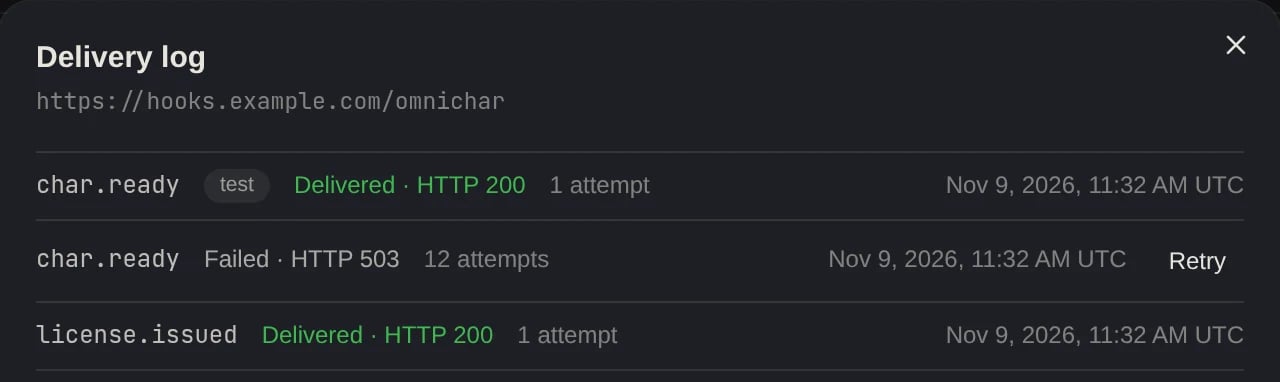
Send test on an endpoint sends a sample of the event you pick, signed and with the endpoint’s auth, through the same path as a real delivery. The result shows the HTTP status, the response time, the first 1 KB of the answer, and the reason when it failed: a timeout, a TLS error, or “Could not reach this URL from OmniChar”, which covers both a host that does not resolve and an address that is not public. Test deliveries are labelledtest in the log and are never retried. You can send 10 tests a minute per team.
Rotating a signing secret
Rotate secret gives the endpoint a new secret, shown once. For the next 24 hours every delivery is signed with both the new and the old secret, so you can switch your server over without missing an event. The documented signature check accepts either.Events
license.issued, license.revoked and license.expired go to both teams: the provider that issued the license and the licensee that holds it. A license waiting on an email with no account has no licensee yet, so only the provider hears about it until that person signs up. Then the licensee gets license.issued and the provider gets license.updated.
If you created a character with a callback_url, its char.* events are also sent there, signed with your team’s default secret for that environment. Ask us for that secret; we can rotate it for you the same way, with a 24-hour overlap.
Payload
data is the same object GET /v1/chars/{id} returns, or for license events, the license as GET /v1/licenses returns it.
Each request carries two headers:
Verify the signature before acting on an event.
Delivery and retries
- We POST JSON and wait up to 10 seconds. Any
2xxanswer is a success. - Anything else, including a timeout, is retried after 30 seconds, then 1, 2, 4 minutes and so on, never more than an hour apart, for 24 hours. After that the delivery is marked as given up.
- Redirects are not followed. The URL must be HTTPS and must resolve to a public address.
OmniChar-Event-Id.
Sending a test event
POST /v1/webhooks/test sends a sample event to all your sandbox endpoints at once. It works with sandbox keys that have the webhooks:write scope.
data carries "test": true.