

- A Clip LoRA learns look, style and motion from single clips.
- A Control LoRA learns a transform from paired reference and target clips: edges to video, depth to video, one look to another. Lightricks call this an IC-LoRA.
What you need
- A 48GB card. Training peaks at 42GB on an L40S, and the base alone is 38GB once loaded. There is no 4-bit path, and a 24GB card can’t train it at any resolution. Generation is far more forgiving, because LTX streams its own weights.
- Ampere or newer. A T4 isn’t supported.
- The dev transformer:
ltx-2.5-22b-dev-transformer-bf16.safetensors(42GB) inmodels/diffusion_models/. It’s the only base the trainer accepts. Lightricks publish it beside the distilled build specifically to be trained. - The licence. The weights are gated under the LTX-2 Community License. Accept it on the Hugging Face model page with the account your token belongs to, or every download returns a permission error.
Clip length
The video VAE encodes clips on an8n + 1 frame grid at 24fps, so the trainer rounds your Clip length down onto that grid. The floor is 9 frames. The panel shows the resolved number next to the field before you start. Each clip is trimmed from its start, once, at precache time.
Train a Control LoRA
1
Switch the mode
In Adjust, set Training mode to Control LoRA.
2
Pair every item
Each dataset item needs a reference clip as well as its target. Reference and target must have the same frame count. Both halves are trimmed from the same end, so a pair of different lengths trains misaligned instead of being rejected.
3
Train
Press Start. Both modes adapt the same layers, the video attention projections plus the feed-forward layers, so only the dataset and the forward pass change.
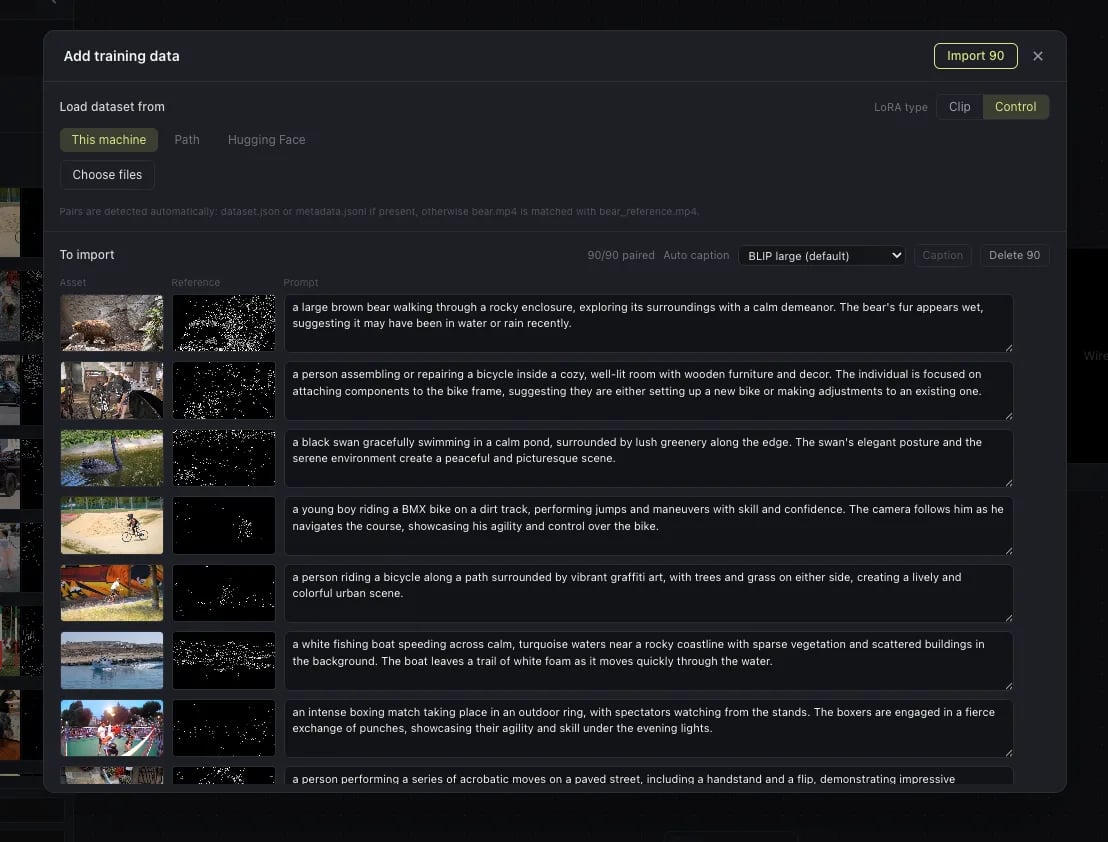
clip.mp4 plus clip_reference.mp4 naming.
To build pairs from clips you already have, Lightricks’ dataset preparation guide includes compute_reference.py, which derives Canny edges and can be swapped for depth, pose or anything else.