

What you need
- The bf16 checkpoint:
minimax_h3_fl2va_bf16.safetensorsinmodels/diffusion_models/. FL2VA is the only base, and it’s undistilled, so there’s no adapter. The smallerpruned,fp8_scaledandint8_convrotbuilds generate but can’t train, and they wouldn’t save VRAM anyway: the base trains at 4-bit whichever file it starts from. Use a persistent volume, not an instance’s scratch disk. The download is well over 100GB. - A 24GB card for comfort, or 16GB if you can wait. See VRAM below.
- 64GB of system RAM on a 16GB card, where the text encoder runs on the CPU. A 16GB card with only 16GB of RAM is refused before anything loads.
Train it
1
Build a dataset
Add a Load Dataset node and drop images or clips onto it, or use Load from path to point at a folder. A folder import picks up
NNNN.txt caption files next to each item. Stills and clips can share one dataset.2
Caption everything
Write captions or run Auto-caption, which captions a clip from its middle frame. An uncaptioned item trains against an empty prompt and weakens the run.
3
Set the run up
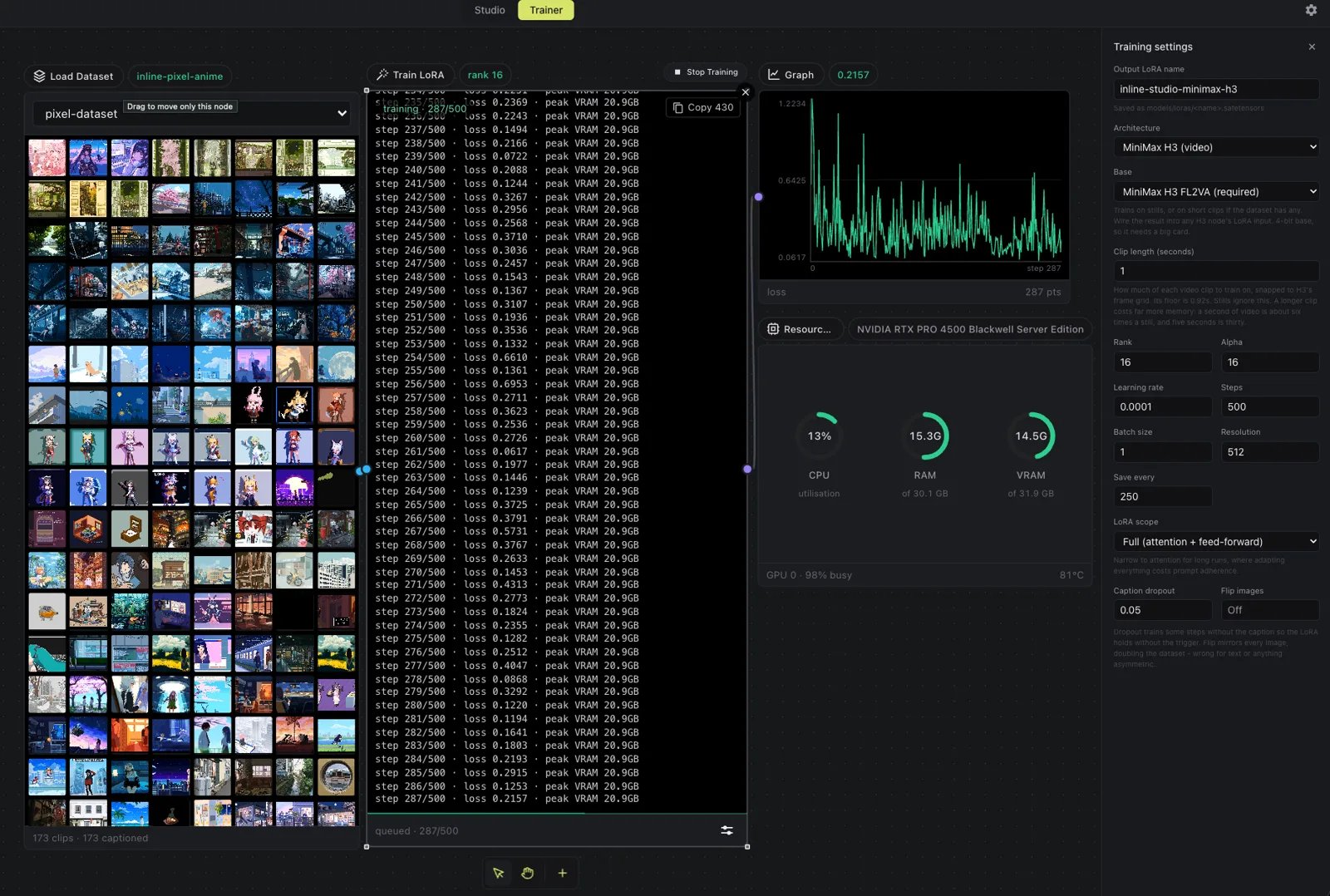
Wire Load Dataset into Train LoRA and open Adjust. Start with rank 16, alpha 16, learning rate 1e-4, batch size 1 and 500 to 1500 steps, at 512px. 768px costs the same VRAM, so there’s no reason to go higher for a first run.
4
Choose stills or clips
Leave Clip length empty to train on stills. Set it to train on motion: 1 second is the practical floor, and 1 to 5 seconds all work. Longer clips cost time, not VRAM.
5
Run it
Press Start Training. The run caches latents and captions first, reporting progress item by item, then streams in the checkpoint, and only then do steps begin. Checkpoints save every 250 steps by default.
6
Test the adapter
Wire the LoRA into the
lora port on any H3 node. Render the same seed with and without it. A LoRA that changes nothing never attached; one that produces noise means something upstream is wrong.Clip length
H3’s video VAE encodes17n + 5 frames at 24fps, so a clip length rounds down to the nearest grid point. The floor is 22 frames, 0.92 seconds. Shorter clips are skipped and named in the log instead of failing the run. Each clip is trimmed from its start, once.
VRAM
The run has three phases that never overlap. On a card that can hold the 32B text encoder, the caption pass sets the peak:
So 512px, 768px, 1024px and clips all peak around 20.6GB. A 4.5-second clip packs 8,232 rows against a still’s 293 and still peaks at 20.4GB.
On a 16GB card the text encoder runs on the CPU instead, so the peak drops to 12.7GB (measured on a T4) and the cost moves to time:
Speed
- A 1500-step run on stills is about 16 minutes on an L40S, 45 on an L4, and close to seven hours on a T4.
- Clips cost about four and a half times as much per step: a 1-second clip at 512px measured 3.26s a step on an RTX PRO 4500 Blackwell, against 0.72s for stills on the same card.
- Startup takes about 7 minutes per run, however many steps follow, while the checkpoint streams in block by block. It hurts a short run far more than a long one.
- Caching scales with the dataset: about a minute for 26 images, closer to 20 for 173 clips.
Try a public dataset
trojblue/test-HunyuanVideo-pixelart-videos has 173 short captioned pixel art clips, and the style is strong enough that you can see at once whether the adapter took. Paste the repo id into the Hugging Face tab. Its captions ship in metadata.jsonl, which the Trainer reads directly. Six clips are shorter than H3’s 22-frame floor and get skipped.