

Get the files
The MOSS-Image node’s model popup downloads all three from Comfy-Org/MOSS-Image. Training reuses them:qwen3.5_9b_w4a8_gptq encoder in ComfyUI’s templates needs ComfyUI’s own kernels, so it doesn’t load here. Pick it and the node tells you to use the int8 ConvRot or bf16 encoder.
Choose a base
Train on SFT if you will generate with SFT. The LoRA uses the model’s own module names, the same keys community MOSS-Image LoRAs ship with, so one adapter loads on the int8 and bf16 builds alike.
Base precision
MOSS-Image offers int8 ConvRot where other models offer 4-bit.- Auto (default) trains an int8 base as it is. On a bf16 base it keeps full precision when the base and its activations fit your card, and stores the base int8 when they don’t.
- Full precision (bf16) needs a bf16 base.
- int8 ConvRot stores a bf16 base int8 as it loads, the same format as the int8 file.
VRAM
Measured on an RTX PRO 4500 (32GB), rank 16, batch 1. Each figure is the peak of one training step, fromtorch.cuda.max_memory_allocated:
Before training starts, the run encodes your captions with Qwen3.5-9B and then frees the encoder. With the int8 encoder that pass peaks at about 10GB, higher than any 512px training step, so a 12GB card is the floor. Loading that encoder also peaks at 16.5GB of system RAM, because the int8 file is read whole, so plan on 24GB of RAM. Training itself uses about 2.7GB.
Speed
On the same card a step on the int8 base takes 0.8 seconds at 512px, 1.7 at 768px and 3.3 at 1024px. The bf16 base is about a quarter faster, because the int8 base quantizes its activations on every layer. Over a whole run, steps take a little longer than the single-step figures, because checkpoints are written every 250 steps.
Both trained on the SFT int8 base at rank 16. The 1024px run used 8.8GB of GPU memory in total, as
nvidia-smi reports it. A finished rank 16 LoRA is 149MB, and each resume checkpoint is 144MB, the adapter plus its optimizer state.
MOSS-Image trains in bf16, so the trainer refuses a GPU without it, such as a T4. Generating doesn’t need bf16: on those cards the node computes in fp32, because fp16 overflows this model.
Settings that worked
A style LoRA learned a duotone look from 12 captioned images in 400 steps: rank 16, alpha 16, learning rate 2e-4, 512px, caption dropout 0.05, on the SFT int8 base. A character LoRA held one face across 15 new scenes after 1500 steps at 1024px from 10 photos, at learning rate 1e-4, with every caption startinglin, photo of linchar woman. Unsloth’s MOSS-Image guide starts from rank 32, learning rate 1e-4, 768px and 500 steps, which fits a 12GB card on the int8 base.
The lin LoRA and its dataset
These four came from the lin character LoRA above, rendered at 896×1152, 30 steps, CFG 3, with the LoRA at strength 1.0 and seeds 2, 7, 11 and 13.
Reading in bed

Paris cafe

Farmers market
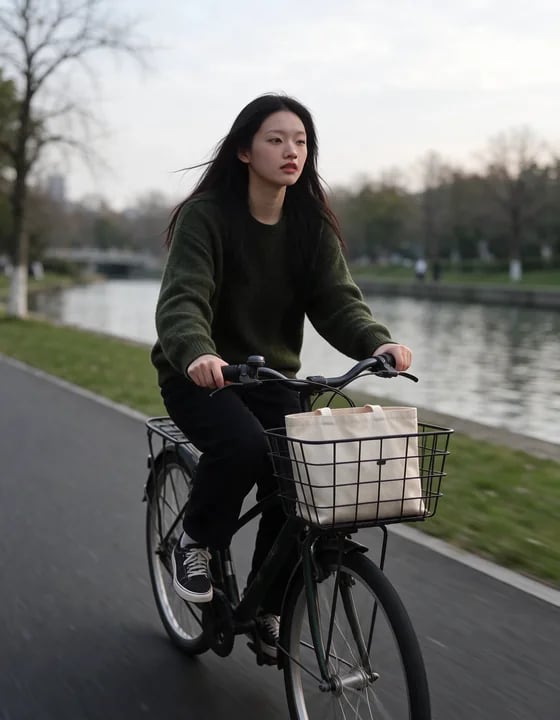
Canal path
- Training photos and captions: drop the folder into a dataset to train the same LoRA.
- lin.safetensors: put it in
models/loras/to generate with lin straight away. - Every render and its prompt: the prompt, seed and settings for each image are in
metadata.jsonl.